

Cloud gaming on your Xbox 360
Orbita is a native, unofficial cloud gaming client that runs directly on a modded (RGH) Xbox 360. Sign in with your account, pick a game from the cloud catalog and play with your 360 controller.
What it looks like
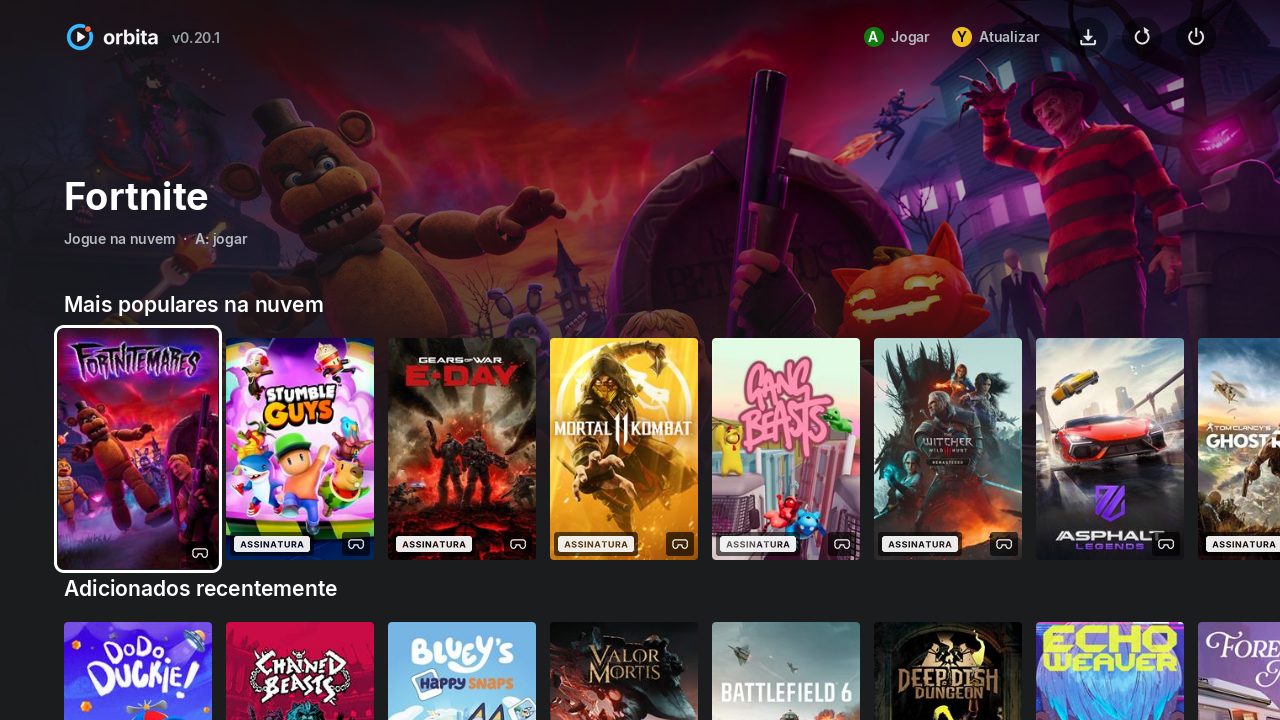
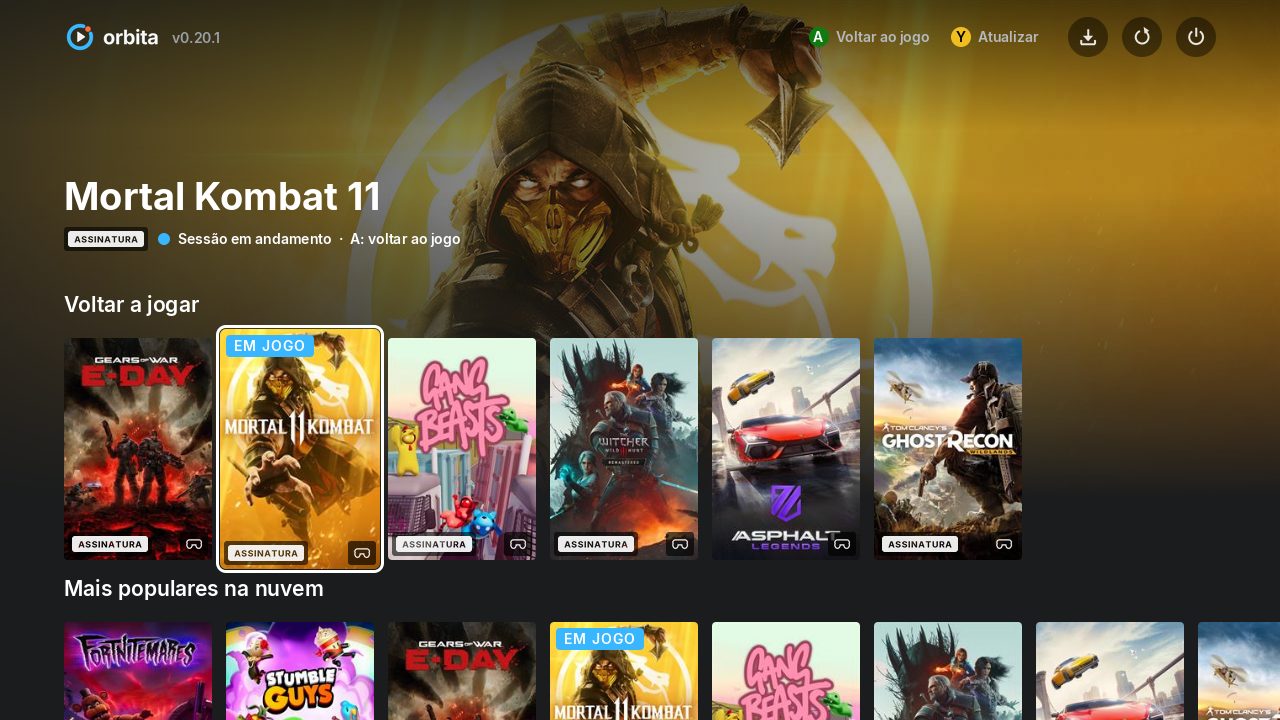
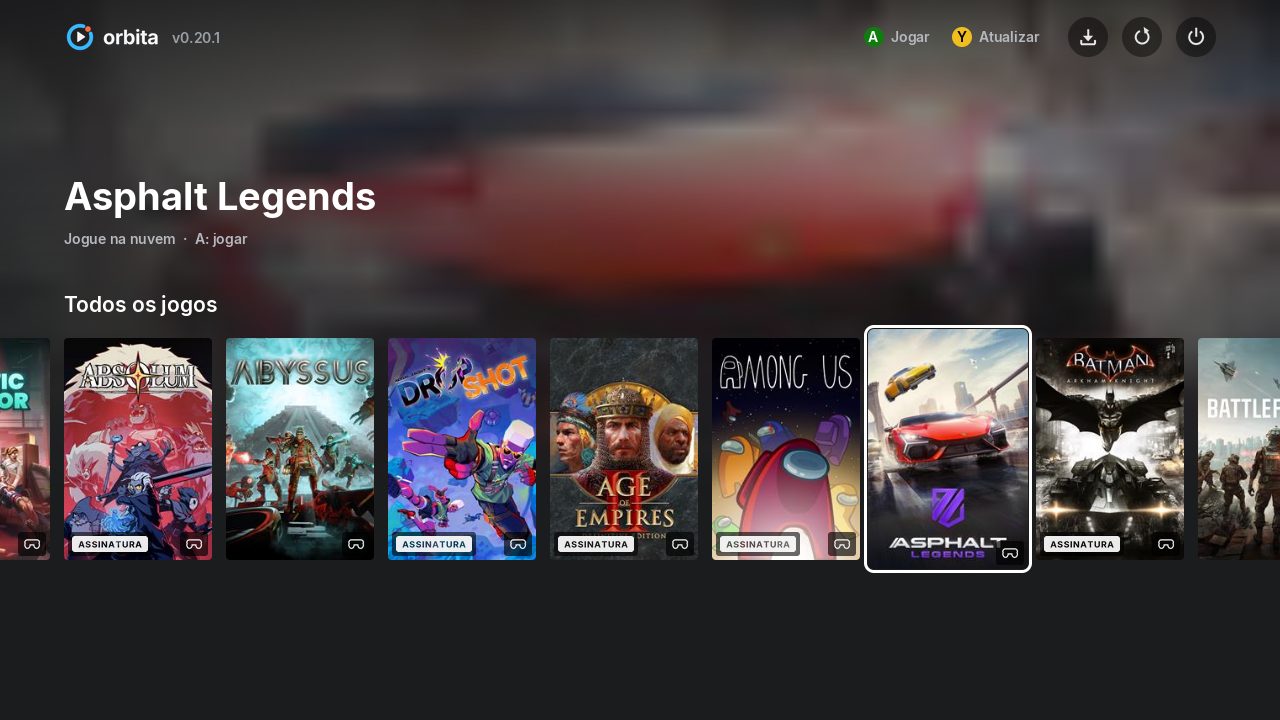
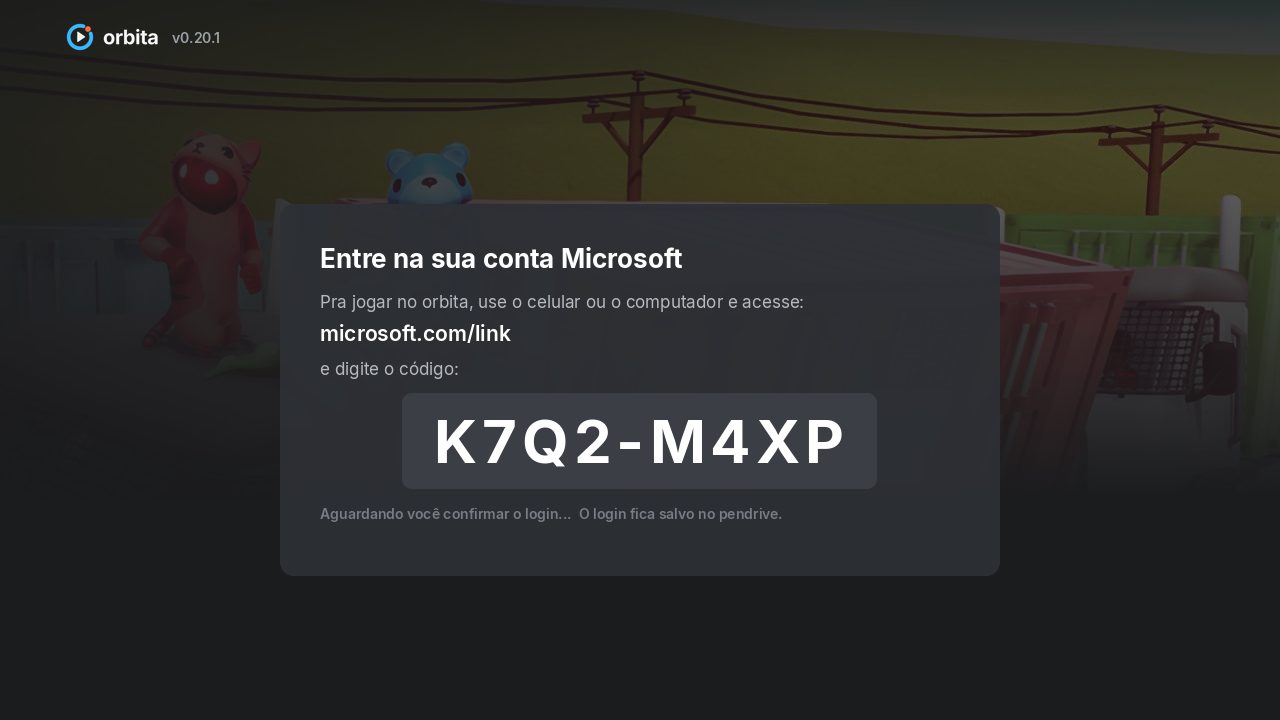
Screens of the app menu running on the console.
Requirements
- Xbox 360 with RGH/JTAG that boots XeLL
- Network cable (Ethernet) to your router — Wi-Fi is not supported
- Microsoft account with an active Xbox Game Pass Ultimate subscription
- USB stick formatted as FAT32
- Stable internet (10 Mb/s or more recommended)
Installation
- Download the xenon.elf file of the stable version (button at the top of this page).
- Copy xenon.elf to the root of a FAT32 USB stick.
- Plug the network cable into the Xbox and insert the USB stick.
- Boot the Xbox into XeLL (how depends on your RGH — usually the eject button). XeLL finds xenon.elf on the stick and opens the app.
- The first time, the app shows an address and a code: open the address on your phone, type the code and sign in with the account that has Game Pass Ultimate.
- Pick a game in the menu and press A to play.
Video

The demo video is coming soon.
FAQ
The screen turned red in XeLL. What now?
That's XeLL hanging, not the app. Turn the Xbox off, unplug it from the wall for about 30 seconds, plug it back in and try again.
Does it work on a stock Xbox 360?
No. You need an RGH/JTAG console that boots XeLL.
Do I have to pay anything?
Orbita is free. The games come from Xbox Cloud Gaming, which requires an active Game Pass Ultimate subscription on your account.
Does it work over Wi-Fi?
No. Use a network cable: the app does not support the 360's Wi-Fi and streaming needs a stable connection.
Which controllers work?
Xbox 360 controllers (up to 4). Other controllers are being tested during the beta.
How do I join the beta?
The beta is invite-only. Invitees create an account from the link and get a beta key to type on the Xbox.
Can my account get in trouble?
There are no guarantees. It's an unofficial client: use it at your own risk (see the notice below).
Where do I report problems?
Testers report from the tester area, with a photo of the screen whenever possible.
Risk notice
Orbita is an unofficial client, built independently, with no affiliation, sponsorship or approval from Microsoft or Xbox. Using modified consoles and unofficial clients may violate terms of service. You use it at your own risk, including regarding your account and your console. The software is provided "as is", without warranty of any kind.